👋 Welcome to DeepEnrich API Documentation
Unlike traditional data providers, we aggregate information from 15+ reliable sources to deliver the highest enrichment rate in the market.DeepEnrich ensures you never lose a potential lead by providing accurate emails and phone numbers for your B2B contacts. Plus, we prioritize compliance—DeepEnrich is fully GDPR and CCPA compliant, as we do not maintain a contact database. Experience seamless contact discovery with the industry’s most reliable API.
For API users there are two interaction models, and the difference between them is the most important thing to understand up front.
POST /search and GET /enrich answer immediately from stored data. They never trigger enrichment and never consume credits.
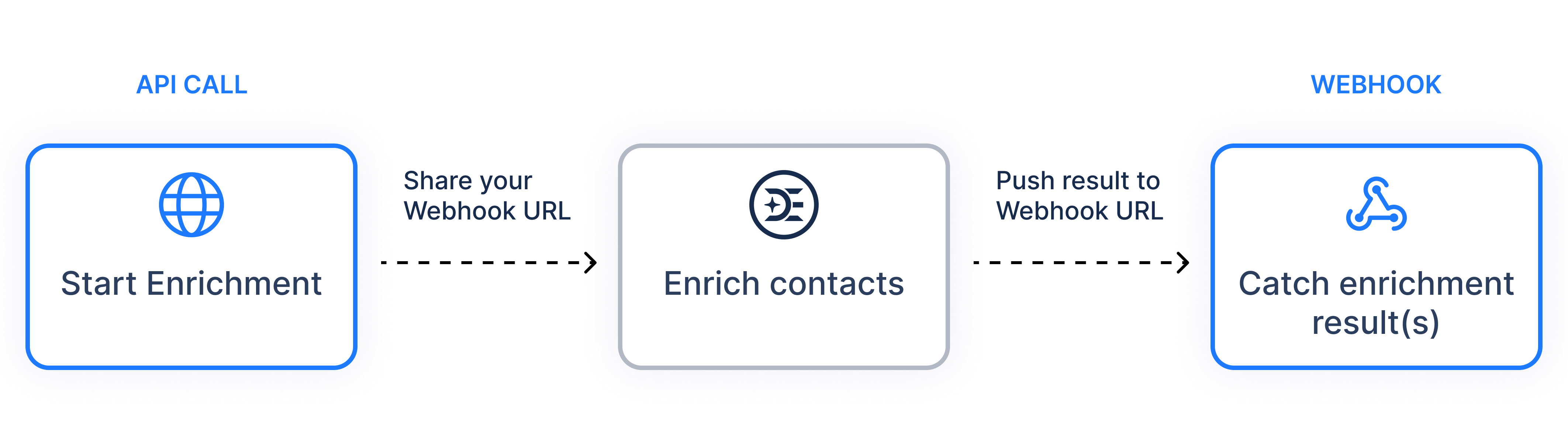
GET /details, POST /enrich and POST /bulk do not return data. They validate the request and return an enrichment id with status pending. You retrieve the result either by polling GET /enrich?id= or by supplying a webhookUrl.
Credits are checked when a request is submitted and deducted only when data is actually handed over. A profile that yields nothing costs nothing.
All enrichment paths are relative to the API base:
https://app.deepenrich.com/api/v1/contactTwo account endpoints sit outside the enrichment base path:
Step 1 — discover, and see what exists. Free, so start here.
POST /v1/contact/search
{ "params": { "title": "Chief Information Officer", "companyName": "Deepenrich" } }

→ data[0].contactId      = "715b96ed..."
  data[0].has_experience = true   ← /details would return experience
  data[0].has_education  = true   ← so the /details call will be billable
Step 2 — request only what is worth paying for.
POST /v1/contact/enrich
{ "params": {
    "profile": { "linkedinUrl": "linkedin.com/in/qwerty",
                 "enrichFields": { "email": true } },
    "custom": { "crmId": "A-1024" } } }

→ { "id": "8f10c2aa-...", "status": "pending" }
Step 3 — collect the result. Supplying a webhookUrl in step 2 replaces this step with a single inbound POST carrying the same body.
GET /v1/contact/enrich?id=8f10c2aa-...

→ { "status": "pending" }                        ... keep polling

→ { "status": "completed",
    "custom": { "crmId": "A-1024" },
    "data": [ { "linkedinUrl": "linkedin.com/in/qwerty",
                "status": "completed",
"email": [ { "type": "work", "value": "..." } ] } ] }Ready to use the API? Here’s how to begin:
Get your DeepEnrich API key here.
 Deep Enrich